✨ Your Family’s Personal Kitchen Cookbook

Zero scrolling. Zero pop-ups. Dinner’s hard enough already.

Rescue your favorite meals from endless food blogs, Instagram, TikTok, Pinterest, and Grandma’s handwritten index cards—and keep every recipe in one calm, easy-to-read place.

🚫 Zero Pop-Up Ads 🔑 Zero Accounts or Passwords 🗣️ Hands-Free Read-Aloud Cooking
Save recipes from socials, websites, or photos
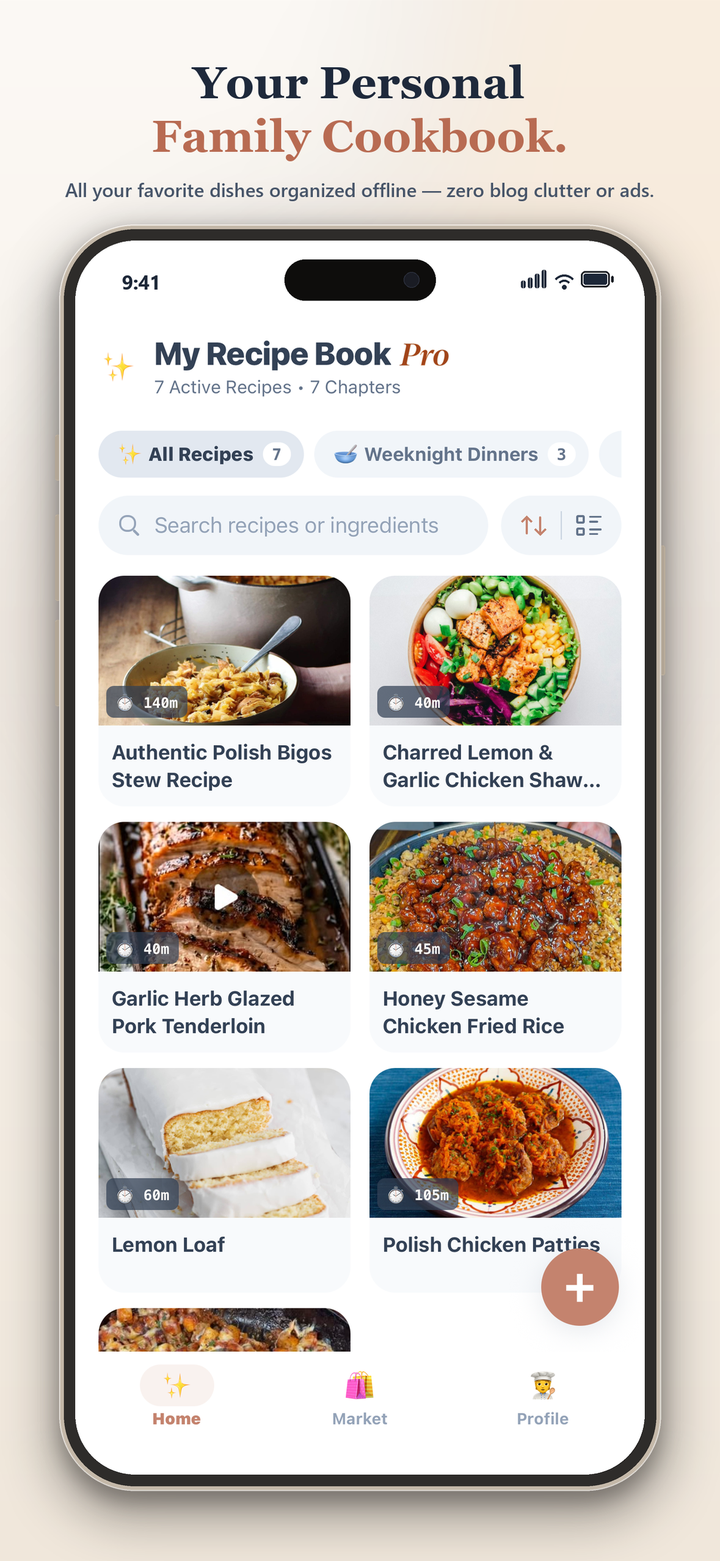
Recipe Zero Personal Family Cookbook shelf view
Hands-free Voice-Guided Cooking Stand and built-in timers
Save in 1 tap from: 📸 Grandma’s Recipe Cards 🎬 Instagram & TikTok 📌 Pinterest & Facebook 🌐 Any Food Blog 📖 Favorite Cookbooks
01 / Try It Right Here

Double a batch or switch to the Air Fryer in one tap.

Cooking for two tonight or feeding the whole family on Sunday? Tap the buttons below to see how Recipe Zero does all the kitchen math for you automatically.

Honey Garlic Glazed Salmon

Prep 10m • Cook 14m • Yields 4 servings • 34g protein

Ingredients
    Preparation Method (Standard)
    02 / Made for Real Family Kitchens

    Everything you need at 5:30 PM. Nothing you don’t.

    No more digging through screenshots in your camera roll or losing your spot when a video ad reloads the page.

    📸 Snap a Photo or Paste a Link

    Rescue Recipes from Blogs, Socials & Handwritten Cards

    Paste any link from Instagram, TikTok, Pinterest, Facebook, or a food blog—or snap a quick photo of a stained family index card—and watch it turn into a clean, easy-to-read recipe page in seconds.
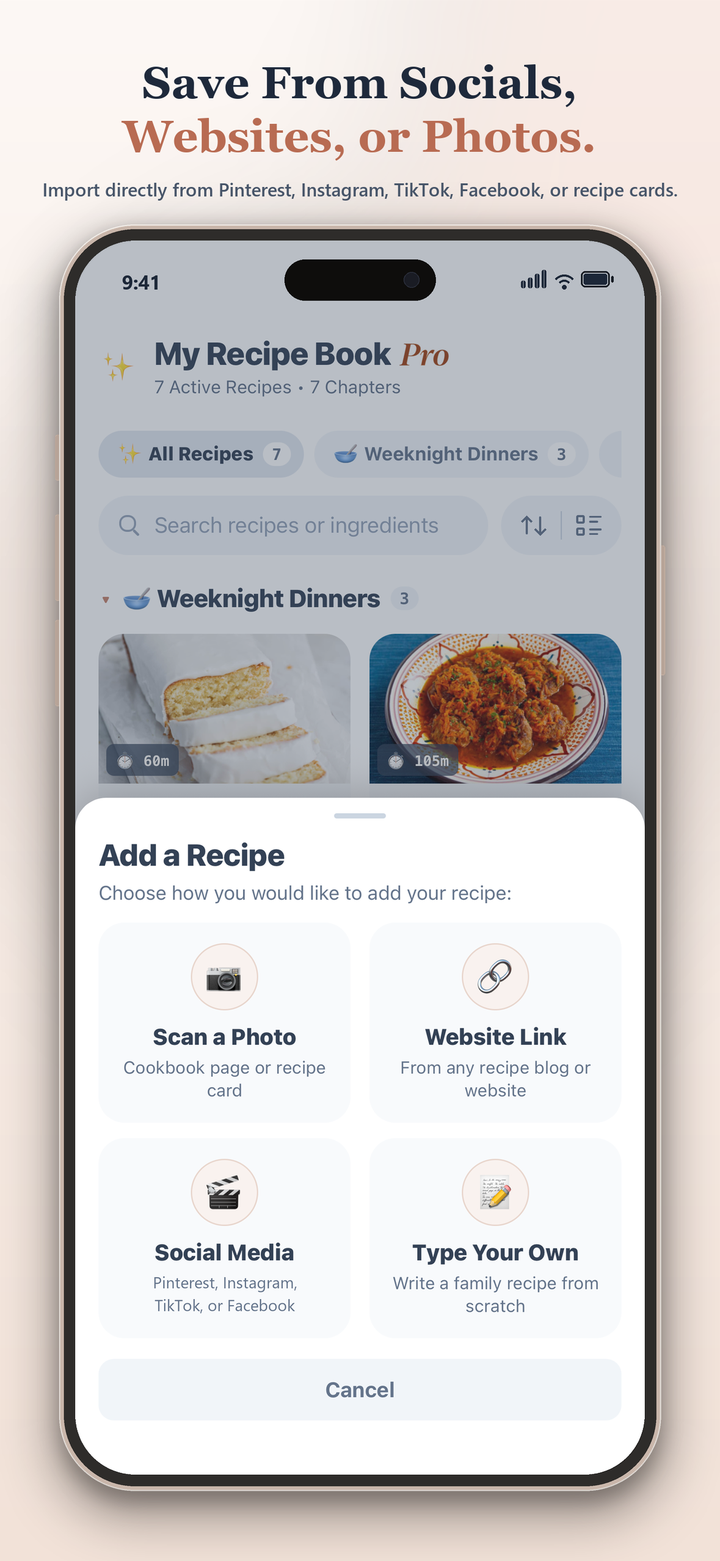
    Save recipes from links or photos
    🔥 Kitchen Math Done for You

    Halve or Double Batches, Air Fryer Times & 6 Languages

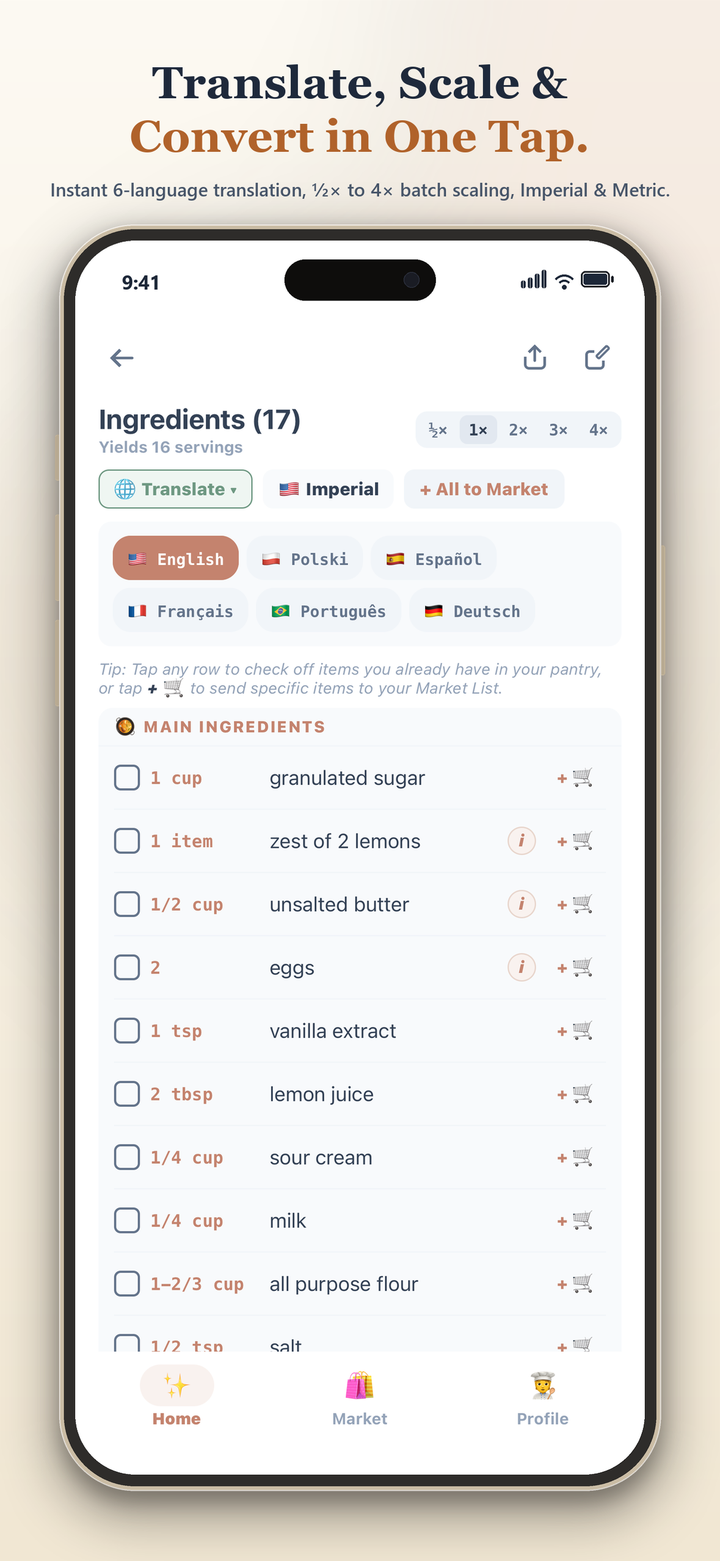
    Scale any recipe from ½× to 4× without doing fraction math in your head, convert oven recipes for your Air Fryer in one tap, or translate dishes into Spanish, French, Italian, German, or Portuguese.

    Scale, convert for Air Fryer, and translate in one tap
    🗣️ Messy Hands? No Problem

    Reads Steps Out Loud & Keeps Your Screen Awake

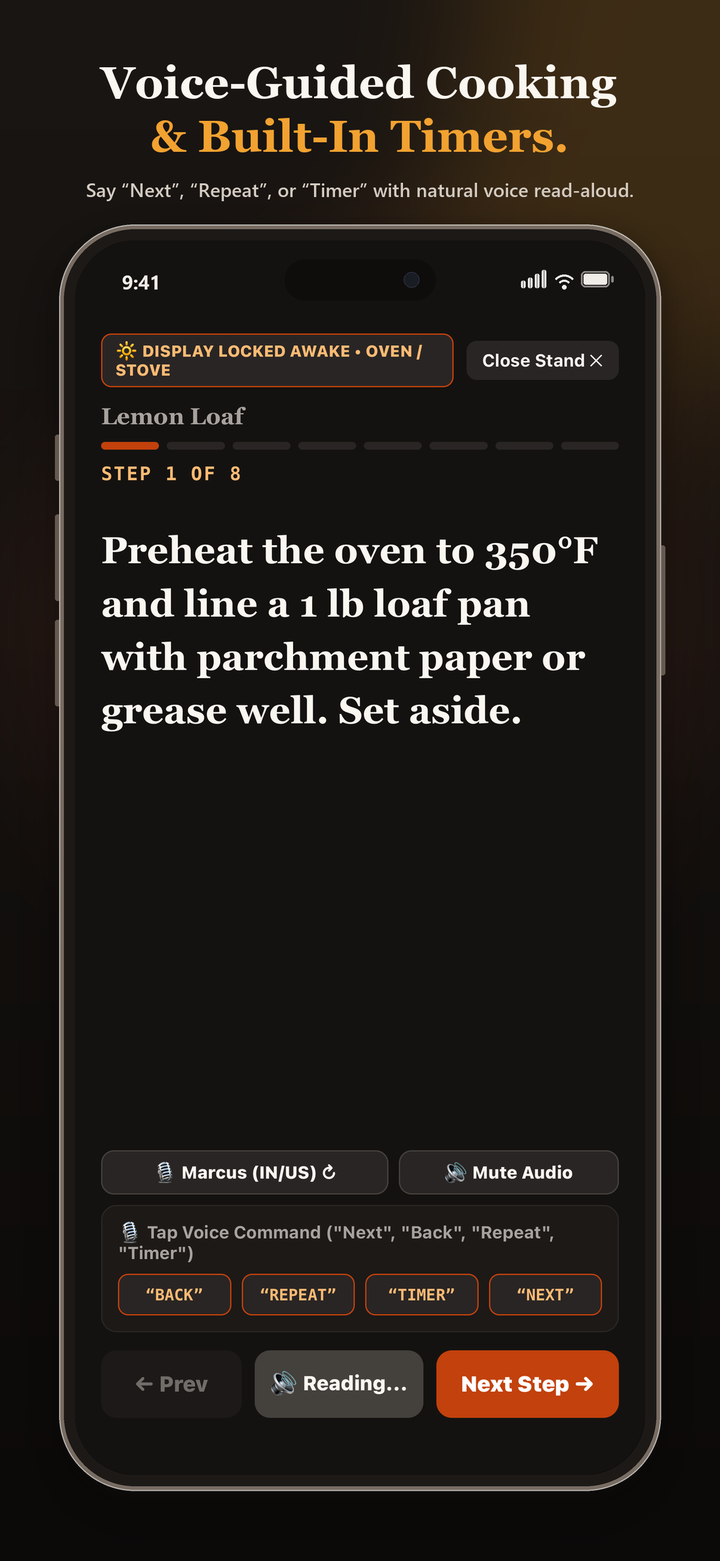
    Keep dough-covered hands off your phone. Your screen stays on while you cook, reads each step out loud, and lets you say “Next”, “Repeat”, or “Timer” from across the counter.

    Hands-free voice cooking stand
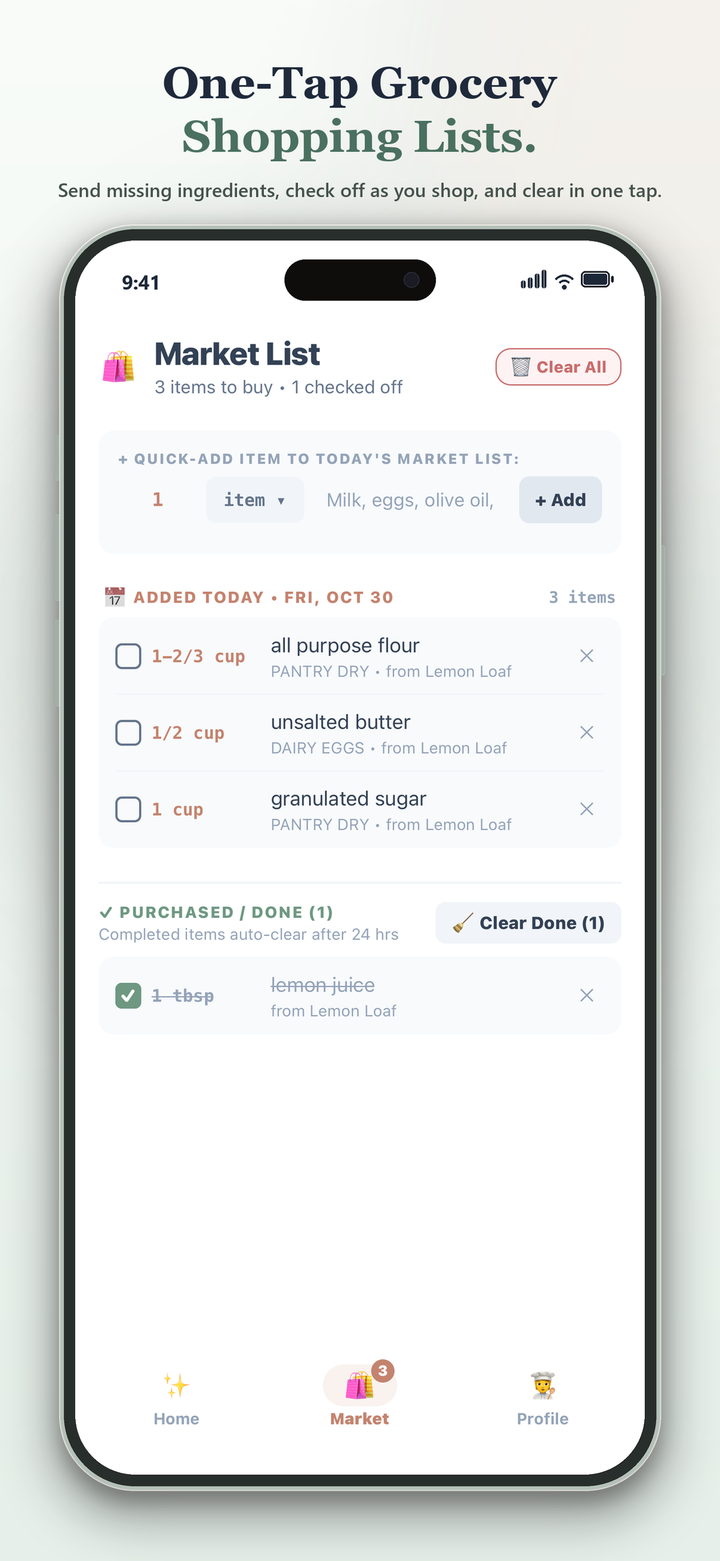
    🛒 Faster Grocery Trips

    Grocery Lists Sorted by Store Aisle

    Check off what you already have in the pantry and send everything else straight to your Market List—automatically grouped by grocery aisle so you get in and out of the store faster.

    Smart Market List screen
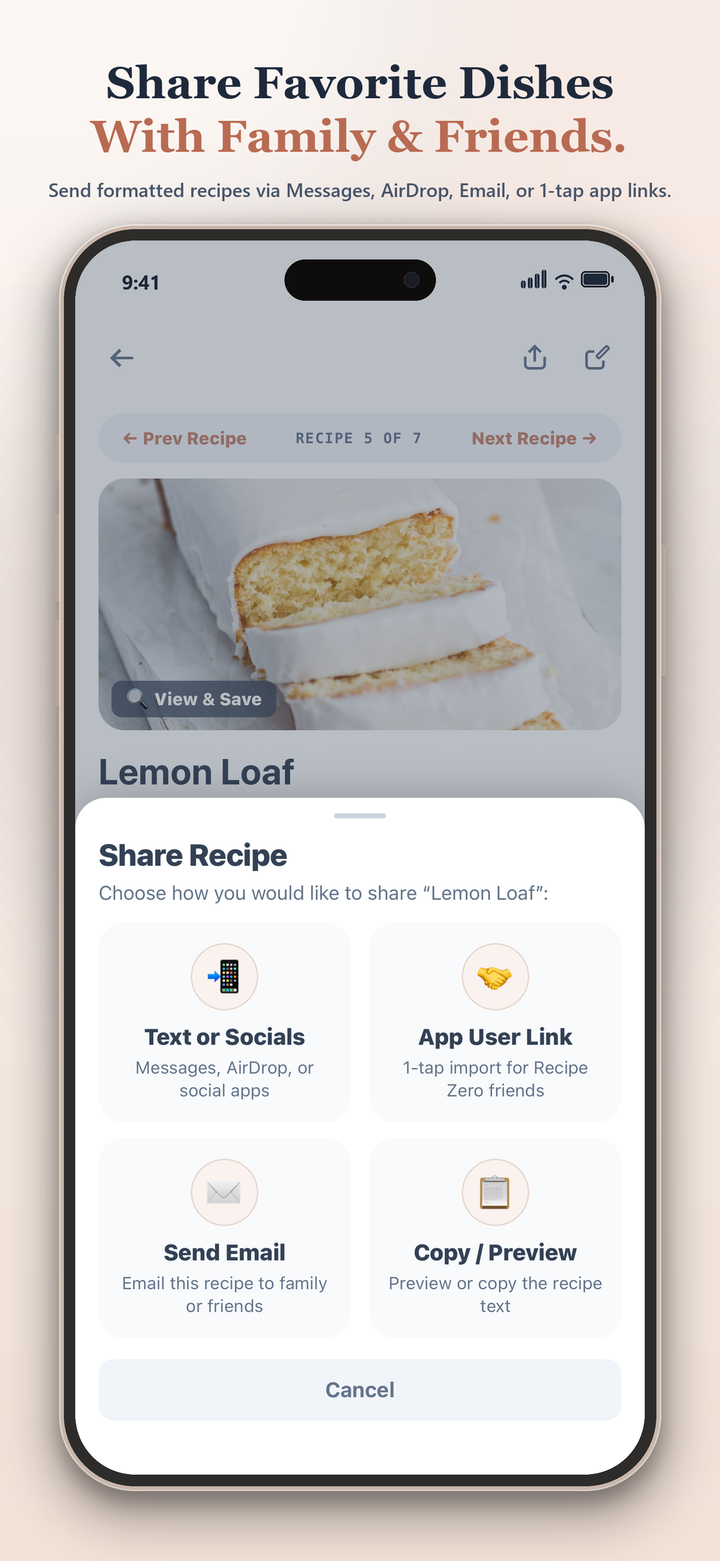
    🗂️ Your Family’s Recipe Box

    Custom Chapters, Personal Notes & Easy Sharing

    Organize recipes into your own chapters (“Weeknight Dinners”, “Kids’ Favorites”, “Holiday Baking”), jot down personal tweaks for next time, and text recipe cards to family and friends.

    Share favorite dishes with family and friends
    03 / Simple, Honest Pricing

    Free to build your cookbook. Upgrade for extra kitchen magic.

    Every recipe you save is yours to keep forever—even on the Free plan, and even without Wi-Fi.

    Basic Kitchen Cookbook

    Everything you need to organize and cook from your family recipes.

    $0 / forever
    No login, no password, no credit card required
    • ✅ Unlimited saved recipes, personal notes & custom chapters
    • ✅ Up to 15 automatic link or photo recipe saves per month
    • ✅ 1-Tap Batch Sizer (½× to 4×) & US/Metric converter
    • ✅ Smart Market List sorted by grocery store aisle
    • ✅ Keep-Awake Cook Stand with built-in kitchen timers
    • ✅ Easy Cookbook Backups & text/AirDrop recipe sharing
    Download Free
    Most Popular • Save 50% Annually

    Chef Pro

    Unlimited link & photo saving, Air Fryer conversions, and hands-free voice cooking.

    $29.99 / year  (or $4.99/mo)
    Includes everything in Basic, plus:
    • ✨ Unlimited Recipe Saves from blogs, socials & handwritten cards
    • 🔥 1-Tap Air Fryer & High-Protein recipe conversions
    • 🌍 Instant 6-Language Translation for international dishes
    • 🗣️ Out-Loud Step Reader so you don’t have to look at your phone
    • 🎙️ Hands-Free Voice Control (just say “Next”, “Repeat”, or “Timer”)
    • 📲 Use Across Your Phone & Tablet with 1-tap restore
    Download for iOS & Android
    04 / Frequently Asked Questions

    Your questions, answered.

    Do I need to create an account or remember another password?
    Nope! You never have to create an account, enter an email address, or remember a password. Your recipes, chapters, photos, and grocery lists are saved right on your phone or tablet—so they’re always ready instantly, even if your kitchen Wi-Fi acts up or you’re in the middle of the grocery store.
    Where can I save recipes from?
    Almost anywhere! Paste a link from Instagram, TikTok, Pinterest, Facebook, YouTube, or any food blog to skip the ads and life stories. You can also snap a photo of Grandma’s handwritten recipe cards, a page in a hardcover cookbook, or a screenshot from your camera roll.
    What happens if I get a new phone?
    Moving your cookbook takes just a few seconds. Open Profile & Settings → Backup & Restore and tap Save Backup to save a copy of your entire cookbook to iCloud Drive, Files, or AirDrop. On your new phone or tablet, tap Restore from Backup and all your recipes and chapters pop right back in.
    How do I manage or cancel a Chef Pro subscription?
    There are never any hidden hoops. Your subscription is handled securely through your normal Apple App Store or Google Play account, and you can switch plans or cancel anytime in a couple of taps right inside your phone’s Settings.